
Rule Configuration: “Do This”
The Do this section defines what action the rule should perform once triggered. This includes how much money to move, whether to leave a balance in the origin account, and where to send the funds.
The first step is to decide whether you want to leave a minimum balance in the origin account. Enter the balance that you would like to always remain in the account.
If you don't require a minimum balance to be in the account, leave the amount as €0, e.g.:

Sweeping a Percentage
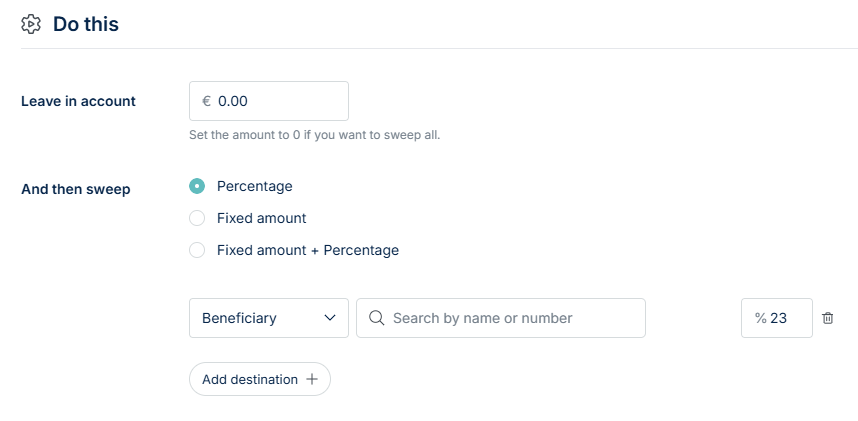
If you are sweeping a fixed percentage of the funds that have landed:
- Select Percentage
- Select the destination account (internal, beneficiary or external account)
- Enter the percentage amount
For example, this is what your action section would look like if you wanted to transfer 23% of incoming funds to an internal VAT account, and don’t need to retain a balance:
Sweeping a Fixed Amount
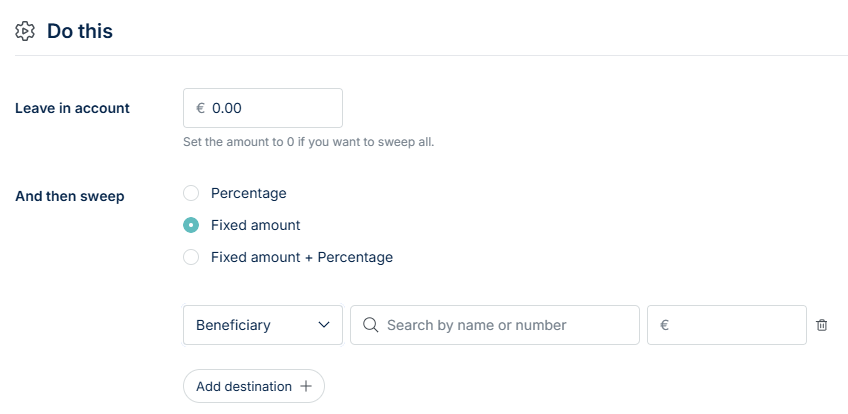
If you are sweeping a fixed amount of the funds that have landed:
- Select Fixed amount
- Select the destination account (internal, beneficiary or external account)
- Enter the amount
Sweeping a Fixed Amount + Percentage
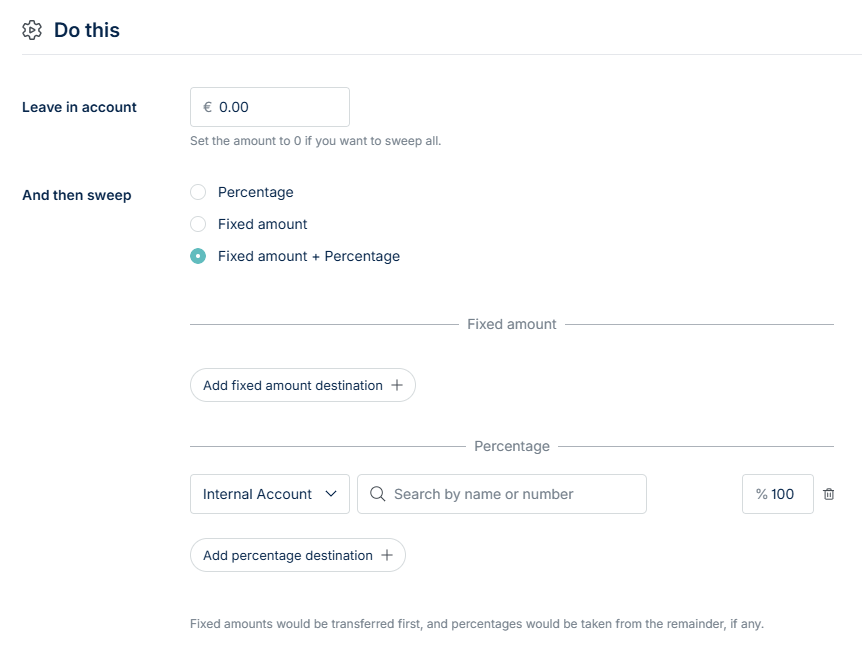
If you are sweeping both a fixed amount and a percentage of the received funds, you must first select the fixed amount. The percentage will then be applied to the remaining balance.
- Under Fixed amount:
- Select Add fixed amount destination
- Select the destination account (internal, beneficiary or external account)
- Enter the amount
- Under Percentage:
- Select the destination account (internal, beneficiary or external account)
- Enter the percentage amount
Choosing Destination Accounts
You can send funds to one of three destination types:
- Internal NoFrixion Account: Select one of your existing NoFrixion accounts from the dropdown list:

- Saved Beneficiaries: If you have already saved beneficiaries, you can choose one from the list:

- New External Destinations: To send funds to a new recipient not saved as a beneficiary, enter their IBAN and name.
Please note: This destination will not be saved for future use. If you want to reuse it later, you’ll need to add the recipient as a beneficiary in a separate step.

You can continue adding as many destination accounts as required - mixing internal and external destinations to suit your needs.