How do I download a payment confirmation?
Once a payout has been marked as Paid, you can download a payment confirmation: a one-page PDF summarising the transaction. This is useful for sharing proof of payment with a recipient or keeping for your own records.
Steps
- From the top navigation, go to Accounts Payable, then open the Payouts tab.
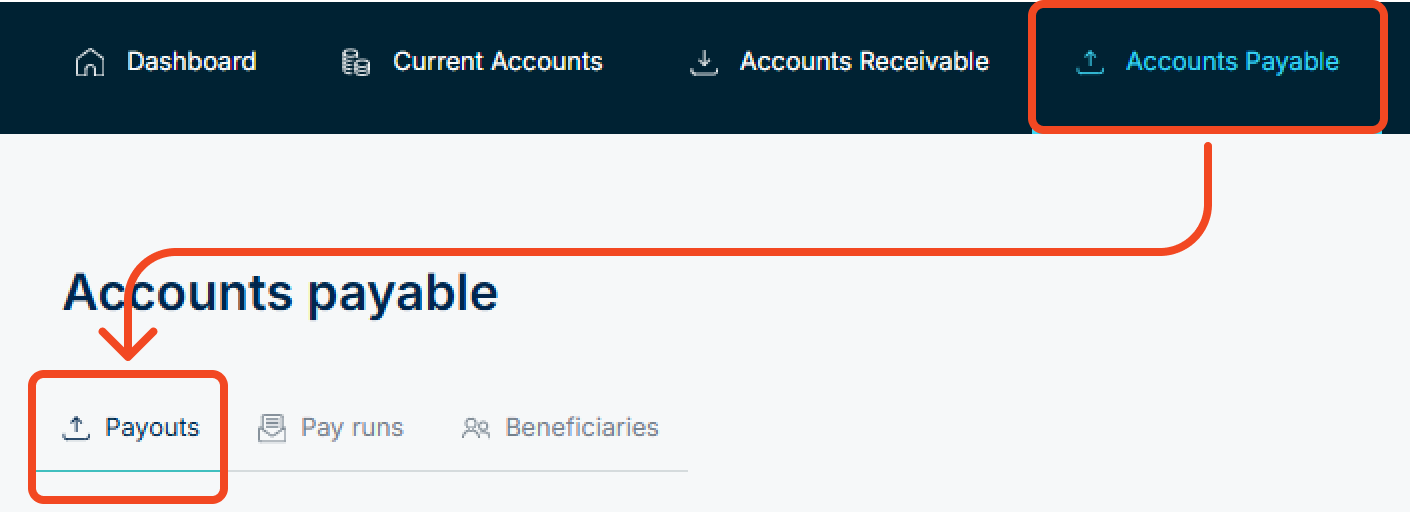
- Find the payout you need and click on it; a sidebar will appear on the right showing the payout's details. Note, confirmations are only available for paid payouts.

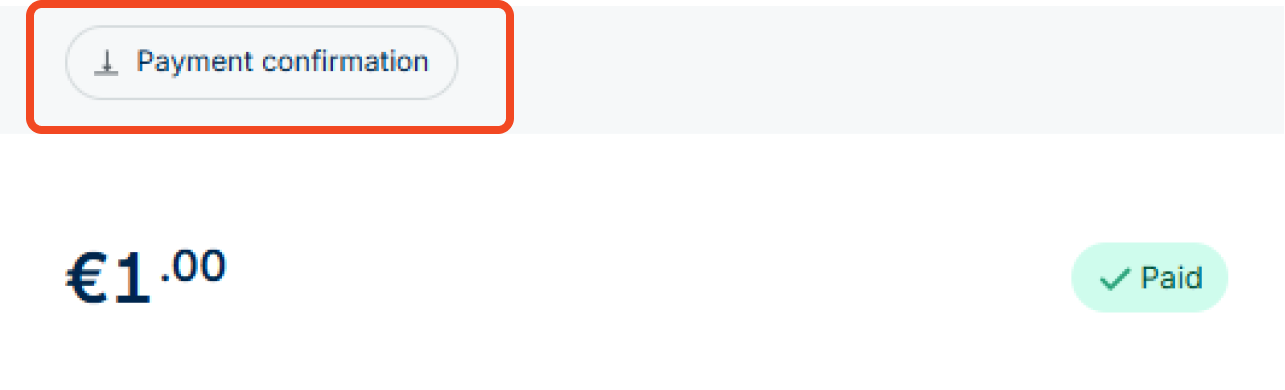
- At the top of the panel, click Payment confirmation. The confirmation downloads as a PDF.
What's on the confirmation
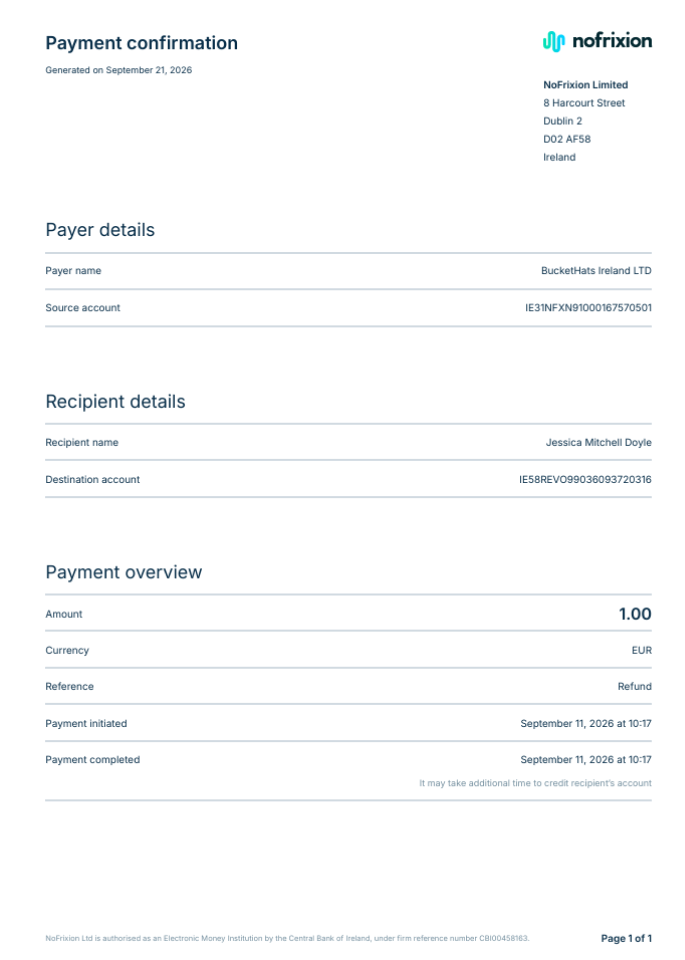
- Payer details - payer name and source account (IBAN)
- Recipient details - recipient name and destination account (IBAN)
- Payment overview - amount, currency, reference, and the initiated/completed timestamps
Example:
Good to know
A Paid status means the payment has successfully left NoFrixion. Depending on the receiving bank and payment rail, it may still take some time to land in the recipient's account, so the funds might not appear on their side immediately.