
AR Settings: Basic Settings
This section allows you to control key aspects of how payments are handled and how your team is notified.
Available payment methods
Depending on your setup, you can choose which payment options are available to your customers (e.g. card, Pay by Bank, Apple Pay, Google Pay, etc.). Simply toggle each method on or off as needed.
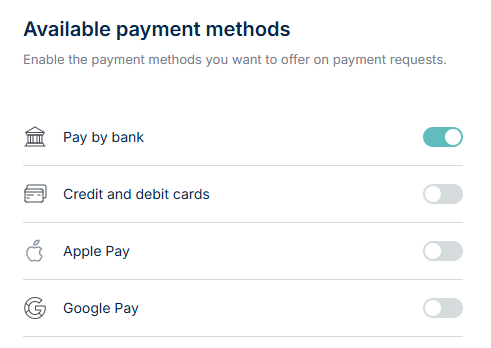
Note: To enable credit/debit card and Apple/Google Pay payments, you must be signed up with a card acquirer. If you’re not set up yet, email support@nofrixion.com and we’ll help you get started.
Payment terms
Set how your customers can complete their payments: either in full upfront or in instalments.
- Require Full Payment Upfront
Customers must pay the total amount in one transaction before the order can be processed.
- Allow Partial Payments
Customers can pay a portion of the amount upfront and settle the remaining balance later over any period of time until the payment is paid in full.
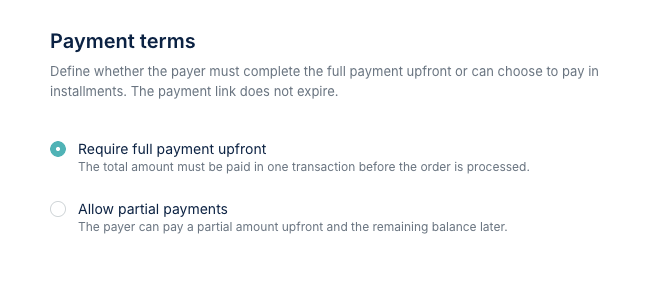
Note: Payment links do not expire.
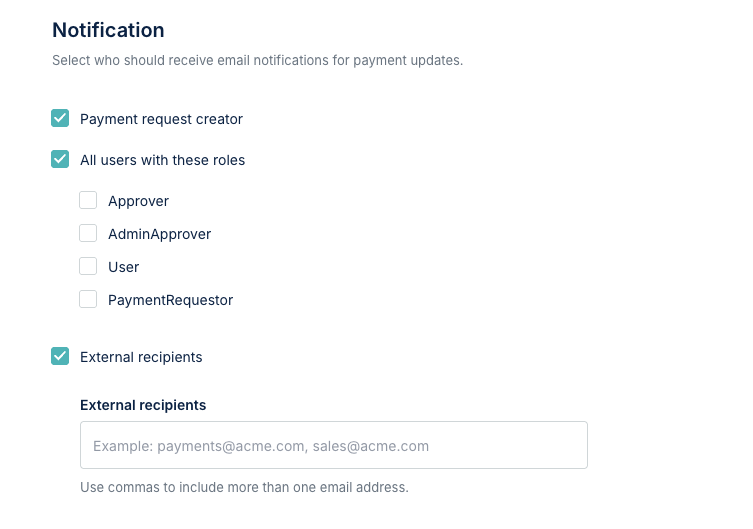
Notification Settings
Specify who should be notified when a payment is made by assigning notifications to roles or individual users.
Save Settings
As you make changes to the settings, don't forget to click on the Save changes button.
