AR Settings: Form Configuration
The Form configuration section allows you to control what information is displayed to the customer on the hosted payment page and the payment receipt (if applicable).
Default Fields
Default fields are the standard fields included in every new payment request. Some fields are required, while others are optional depending on your setup. You can also decide where each field is displayed, i.e., on the payment link, receipts, or kept hidden.
Note, Amount and Product or service are required fields for all payment requests and will be displayed for the customer on the hosted payment page. The Destination account will always be hidden from the customer.
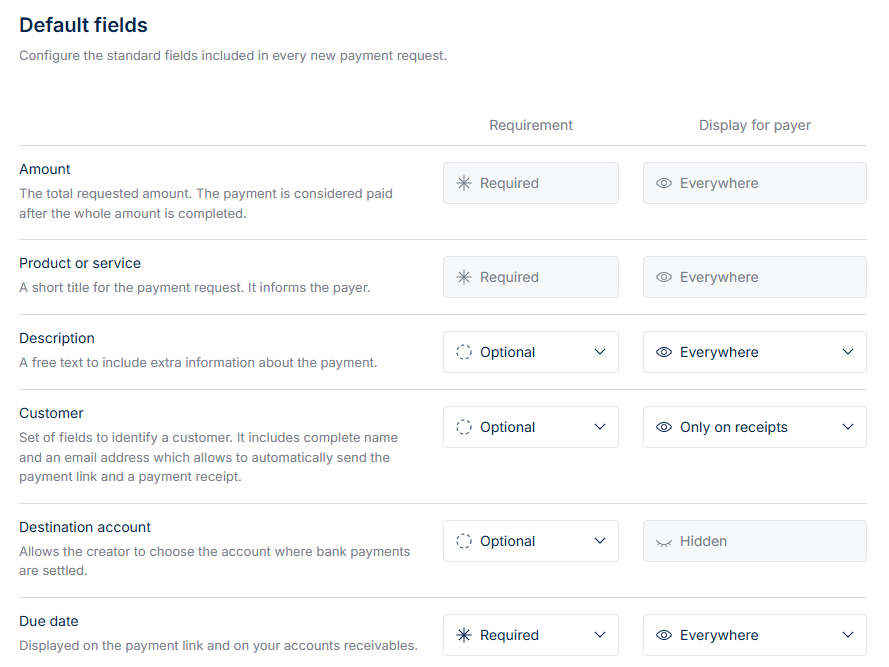
Requirement Column
This column defines whether a field is optional, required, or hidden when creating a payment request.
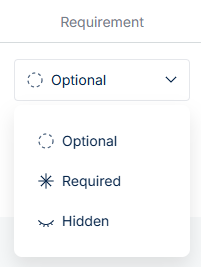
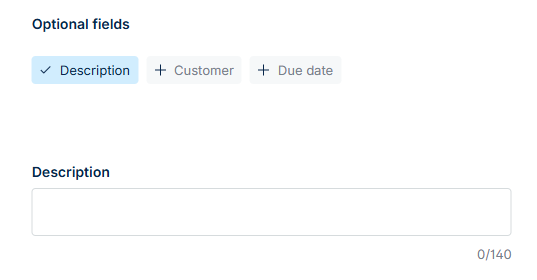
Optional → The field appears under the Optional fields section on the payment request setup page. The user can choose to complete it, but it’s not mandatory.
Required → The field must be completed during setup before the payment request can be created.
Hidden → The field is not visible to the user setting up the payment request. Since it isn’t completed, it also won’t appear for the customer - neither on the hosted payment page nor on the receipt.
Display for Payer Column
This column defines whether a field is everywhere, only on payment page, only on receipts or hidden. In other words, it defines where each field is visible to the customer during the payment process.
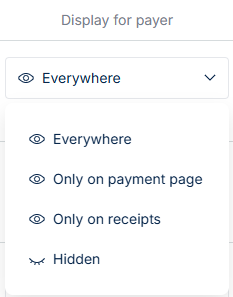
Everywhere → The customer sees the field on the hosted payment page and on the receipt (if receipts are enabled and an email address was provided).
Only on Payment Page → The field appears on the hosted payment page but not on the receipt.
Only on Receipts → The field is included on the receipt but not shown on the payment page.
Hidden → The field is not visible to the customer on either the payment page or the receipt. However, if the Requirement column is not set to “Hidden,” the field will still appear internally in the portal.
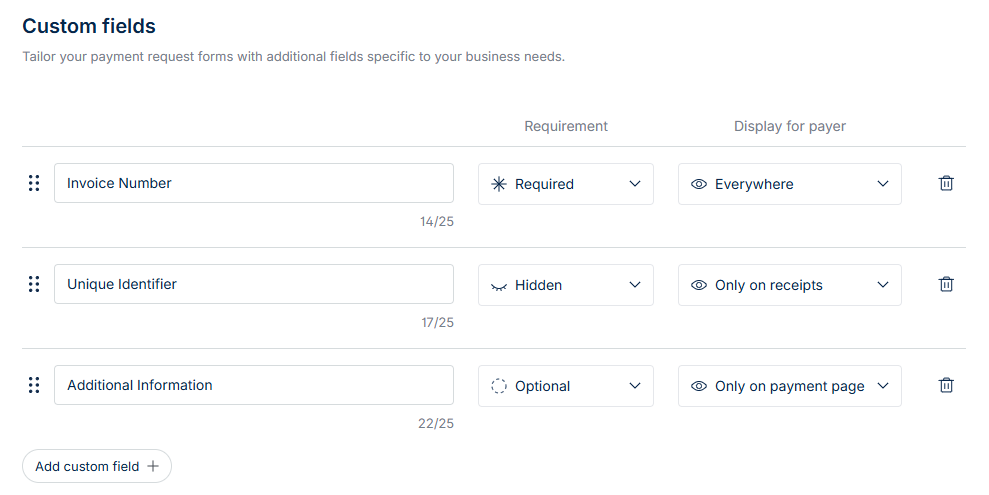
Custom Fields
You can create up to 10 custom fields (text-based only) to collect additional information specific to your business needs.
Each custom field can be configured for:
- Requirement Level → Set whether the field is required, optional, or hidden for users creating the payment request.
- Customer Visibility → Choose whether the field is visible to the customer or internal only (not shown to the customer).